Turn Photos into Paintable Art
Upload your photo — get a custom paint by numbers template with color-matched acrylic paints, a printable PDF and a painted preview. Free, private, no sign-up.
Drag & drop or click to upload
JPG, PNG or WEBP — photos are resized to 1600px on your device
JPG · PNG · WEBP · up to 25 MB
Private by Design
Images never leave your device — all processing runs in your browser
8–48 Acrylic Colors
Matched to real acrylic paint names for easy shopping
PNG & PDF Export
Print-ready A4/A3/Letter/canvas-size PDF with legend included
How it works
From photo to paint by numbers in four steps
Upload
Choose a JPG, PNG or WEBP photo. It is resized on your device and never uploaded.
Settings
Pick 8–48 colors, canvas size, detail level, style, fit mode and color guide.
Generate
Your browser clusters the colors, simplifies the regions and numbers every zone in seconds.
Export
Download a PNG or a print-ready PDF with cover, color legend and true-size template.
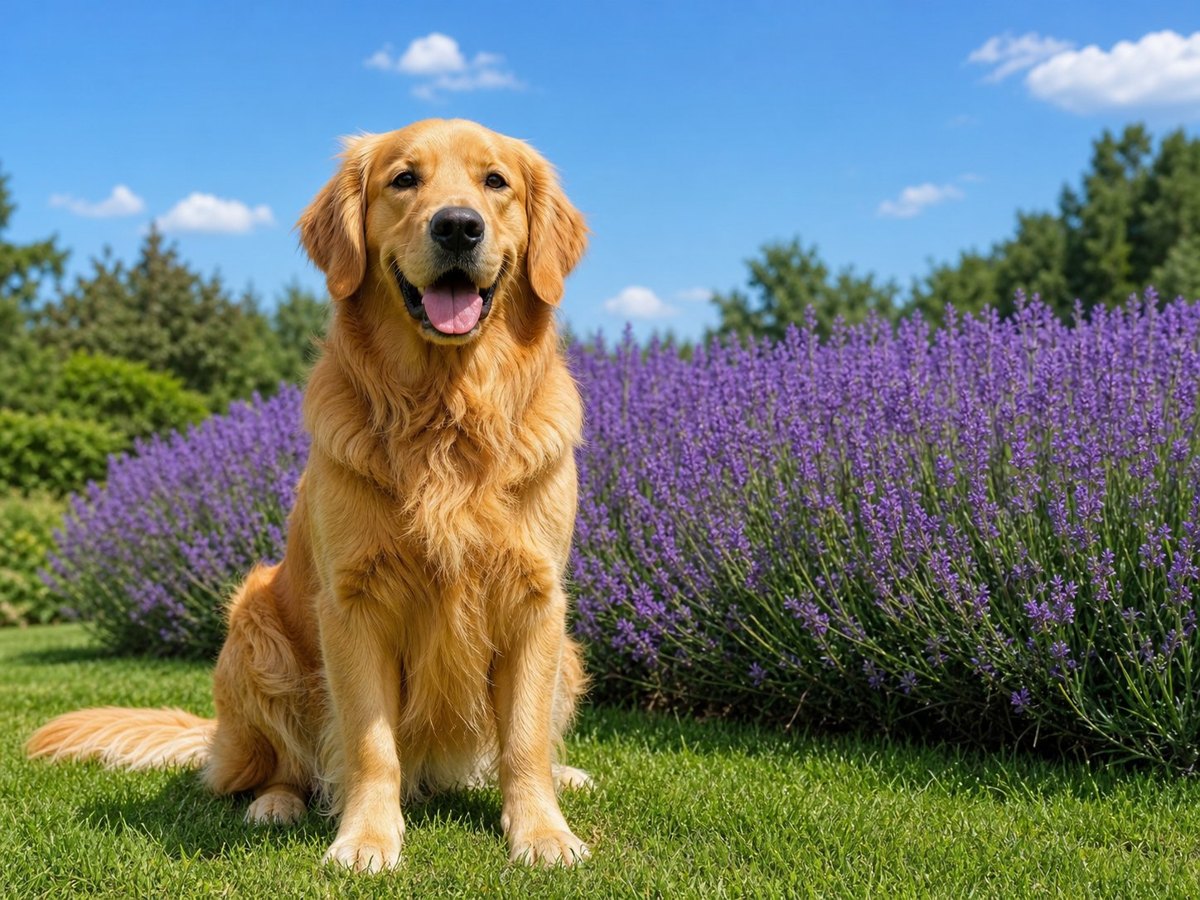
Example
What you get
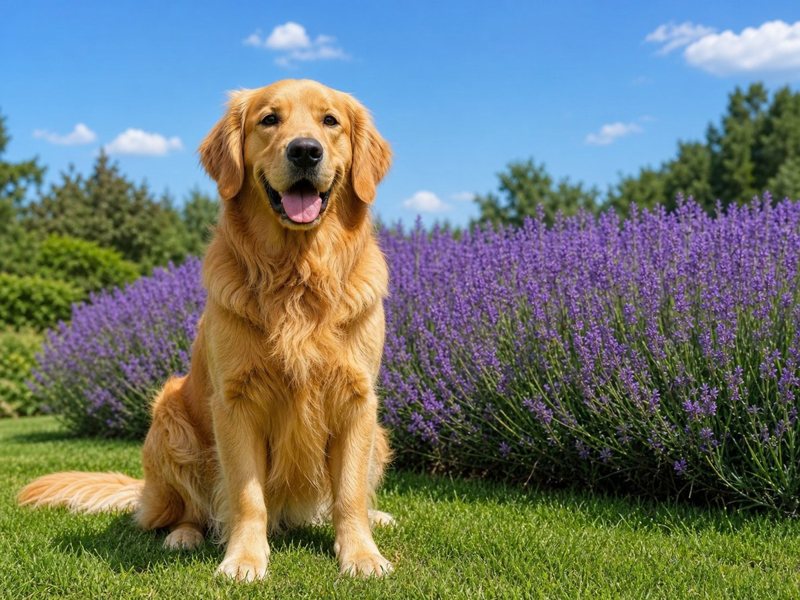
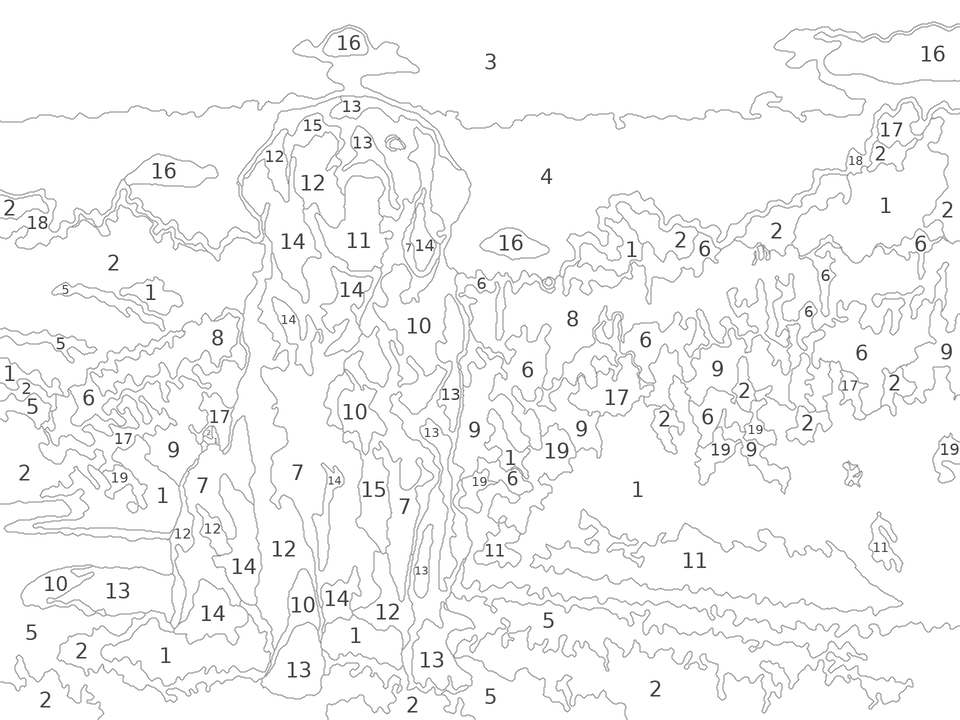
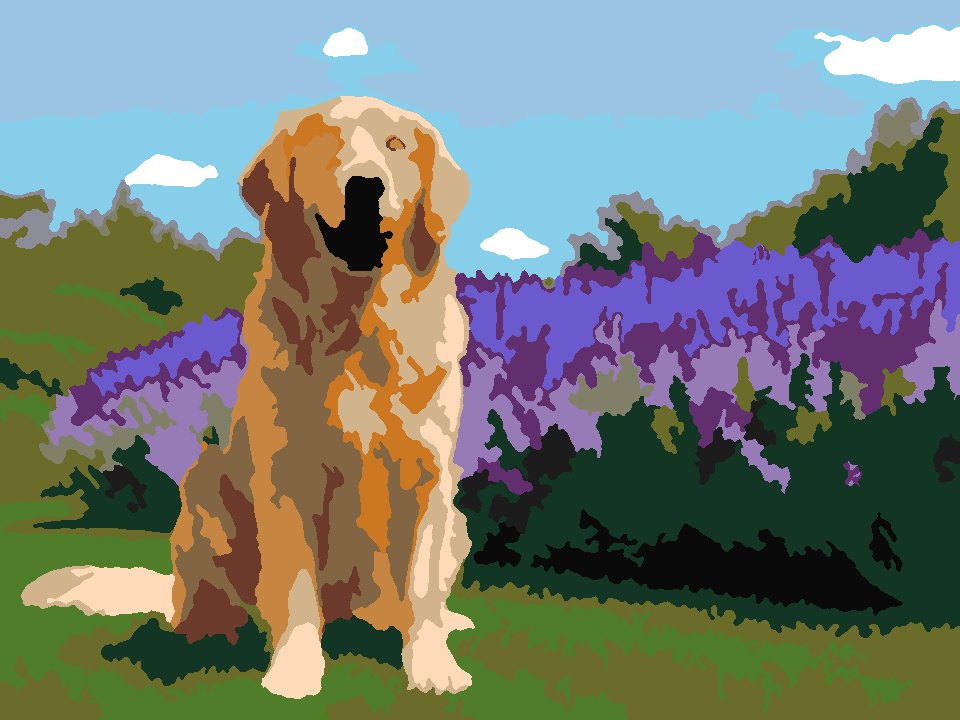
Settings Guide
Settings Guide
How to configure PaintFromPhoto for your desired result
Color Count
Controls how complex the template is. More colors = more realistic, but more paints to buy and more time to paint.
- 16 colors (Beginner)— Very large, simple regions — perfect for kids and first-timers
- 24 colors (Standard)— Large, clear regions — the classic paint by numbers experience
- 36 colors (Intermediate)— Moderate detail with smooth tonal transitions
- 48 colors (Advanced)— Fine region division, closest to the original photo
Detail Level
Controls how finely regions are split and how much smoothing is applied.
- Low— Large regions, fast painting, abstract feel
- Medium— Balanced region size, general-purpose template
- High— Small regions kept, detailed work, best for high-resolution photos
Canvas Size
Choose based on how you plan to print or paint.
- A5 / A4 / A3 / Letter— Standard paper sizes for home or office printers
- F4 – F10 (Frame S)— Small canvas frame sizes for painting directly onto stretched canvas
- F12 – F50 (Frame L)— Large canvas frames for statement pieces
- Square / Original— Square canvases, or keep your photo's own aspect ratio
Color Guide
Lightly tints each region with its assigned paint color.
- Outline Only— Traditional template style with numbers only — for experienced painters
- With Color Tint— Each region shows a faint hint of its color — recommended for beginners
Style
Controls how aggressively tiny regions are merged.
- Clean— Broad, simple regions — quick to paint, bold look
- Detailed— More regions and finer lines — closer to a realistic result
Fit Mode
How to handle aspect-ratio differences between your photo and the canvas.
- Fit— The whole photo fits inside the canvas; margins stay white
- Fill— The canvas is fully covered; drag and zoom the crop preview to choose the framing
Paint Palette
Decides which colors end up in your legend.
- Acrylic-matched— Colors snap to 48 common acrylic paint names so you can shop by name
- Photo colors— Exact colors sampled from your photo — mix them yourself, or use the nearest paint shown
FAQ
Frequently Asked Questions
Is PaintFromPhoto free to use?
Yes — PaintFromPhoto is completely free, with no sign-up, watermarks or download limits. Upload a photo and your browser generates a numbered paint by numbers template on the spot.
Is my photo private? Is it uploaded to a server?
Your photo never leaves your device. The whole conversion — color analysis, region detection, numbering and PDF export — runs inside your browser using JavaScript. Nothing is uploaded, stored or seen by us.
How do I turn a photo into a paint by numbers template?
Upload a JPG, PNG or WEBP photo, choose the number of colors (8–48), the canvas size and the detail level, then click Generate. In a few seconds you get a numbered outline, a painted preview and a color legend, ready to export as PNG or print-ready PDF.
How many colors can I use?
Anywhere from 8 to 48 colors. We recommend 16–24 colors for beginners and children, 36 for intermediate painters, and 48 for realistic portraits and advanced projects.
What output and canvas sizes are supported?
A5, A4, A3 and US Letter paper sizes, canvas frame sizes F4 to F50, square canvases and your photo's original aspect ratio. The PDF contains the template at exact millimetre size plus optional tiled A4 sheets for home printing.
What is Color Guide (tinted) mode?
Color Guide mode lightly tints every region with its assigned paint color, so you can see at a glance which color goes where. It is ideal for beginners; experienced painters usually prefer the classic outline-only template.
About the tool
What is a paint by numbers generator?
A paint by numbers generator converts a photograph into a simplified outline made of numbered regions, where every number stands for one paint color. PaintFromPhoto does this automatically: it analyses the colors in your picture, reduces them to a palette of 8 to 48 shades, merges tiny fragments into paintable regions, and labels every region with a number that matches the color legend.
Unlike ordering a custom kit, everything happens instantly and locally in your browser. The template you download is yours to print at home, send to a print shop, or transfer onto a stretched canvas. Because the palette is matched to common acrylic paint names such as Titanium White, Burnt Sienna and Ultramarine Blue, a standard acrylic set is all you need to start painting.
Custom paint by numbers templates are popular for pet portraits, wedding and family photos, travel landscapes, memorial gifts, classroom art projects and mindful painting sessions. Whether you want a bold 16-color design for kids or a detailed 48-color portrait, the settings let you tune complexity, canvas size and style to fit your skill level and the time you want to spend.
Buy a Custom Paint by Numbers Kit.
Languages
PaintFromPhoto in your language
- EnglishEnglish
- 简体中文Chinese (Simplified)
- 繁體中文Chinese (Traditional)
- हिन्दीHindi
- EspañolSpanish
- FrançaisFrench
- العربيةArabic
- বাংলাBengali
- PortuguêsPortuguese
- РусскийRussian
- اردوUrdu
- Bahasa IndonesiaIndonesian
- DeutschGerman
- 日本語Japanese
- मराठीMarathi
- తెలుగుTelugu
- Tiếng ViệtVietnamese
- TürkçeTurkish
- HausaHausa
- ਪੰਜਾਬੀPunjabi
- KiswahiliSwahili
- தமிழ்Tamil
- FilipinoFilipino
- 한국어Korean
- فارسیPersian
- Basa JawaJavanese
- ItalianoItalian
- ગુજરાતીGujarati
- ไทยThai
- አማርኛAmharic
- ಕನ್ನಡKannada